Common
Reward Available
Time:
30 minCost:
$10Reward type:
AirdropAbout Project
Common is an all-in-one platform for crypto communities, enabling users to create, claim, and govern their communities. It integrates multiple functionalities into a single crypto-native product, supporting decentralized governance, community discussions, and treasury management.
Project category:
Social+1Total raised:
$20M
$20,000,000
Reward date:
27 Oct’25 12:00Total distribution:
Pending Data
Average reward:
Pending Data
Maximum reward:
Pending Data
Duration:
Pending Data
Claimed wallets:
Pending Data
Total wallets:
Pending Data
Upgrade to unlock the data.
UpgradeStay informed
Create alert
Common
Common
Claim $COMMON
All tasks (3)
Claim $COMMON
Task type:
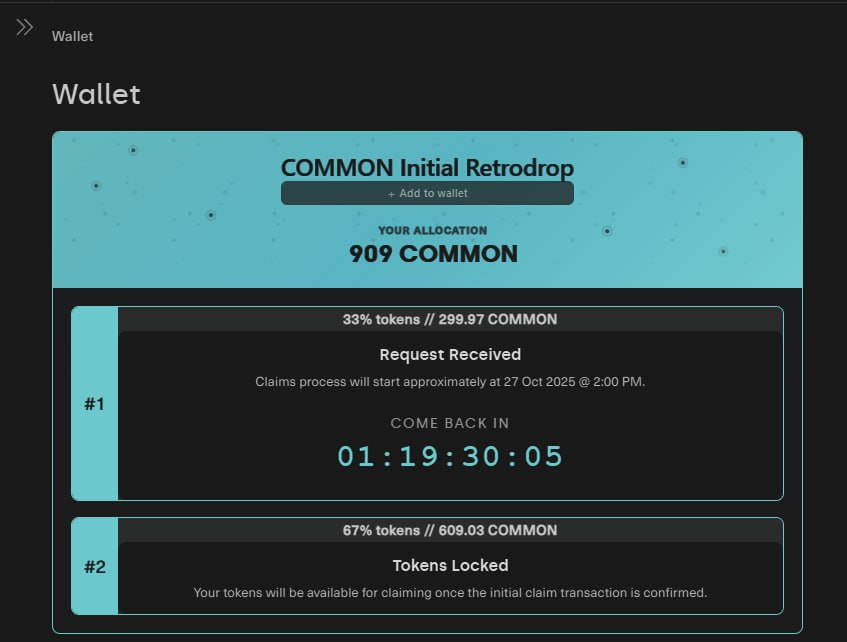
Claim AirdropOctober 27, 2025, Common launched the on-chain claim for $COMMON tokens. Users can check their eligibility and see their allocation directly on the platform. Tokens are claimable based on the user’s participation in the ecosystem.
- Connect your wallet on the site to see your allocation and claim your $COMMON:
Point Farming (Season 2)
Task type:
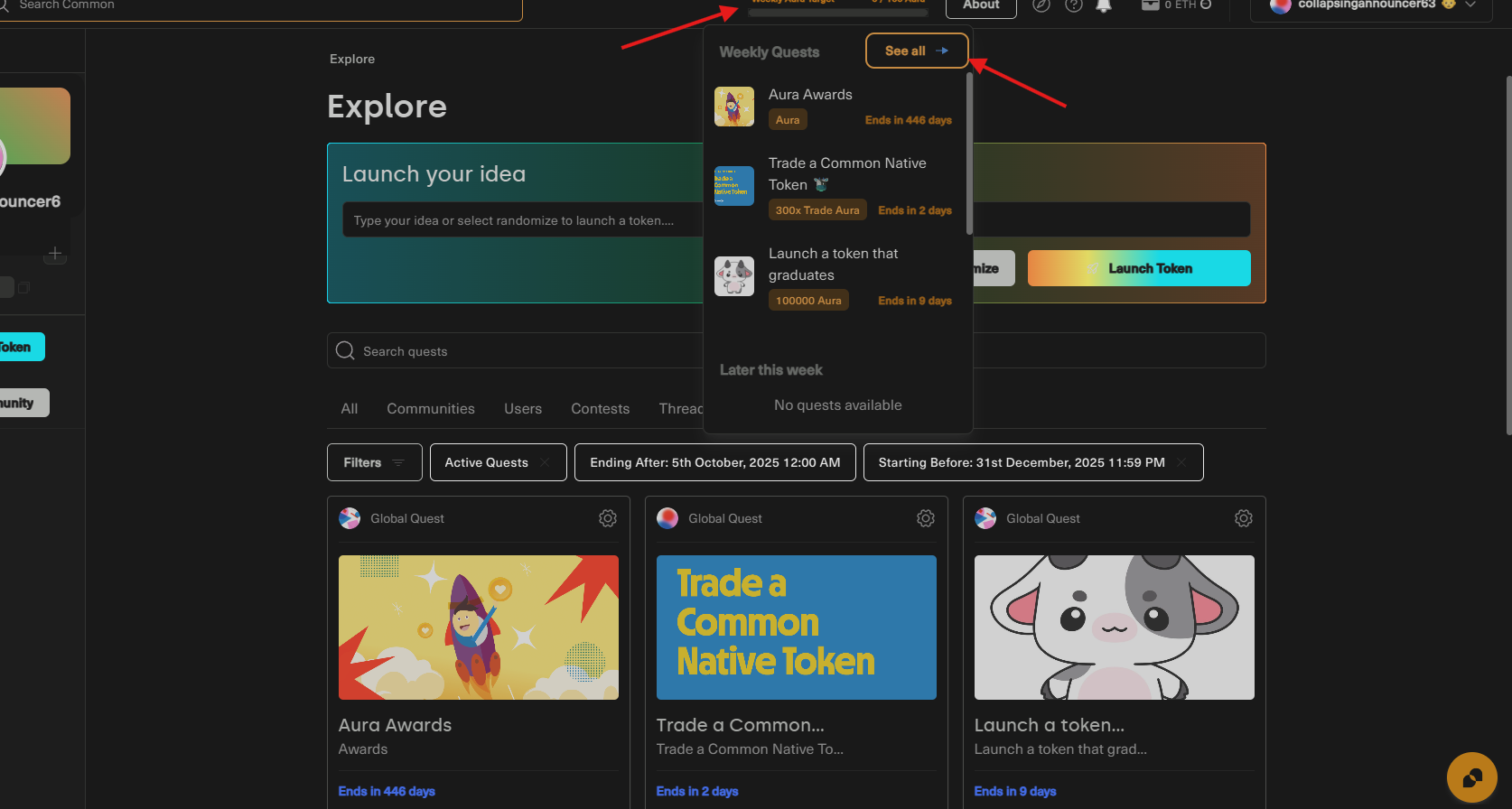
SocialMainnetIn April, Common held its first season, which concluded successfully. On August 8, 2025, Common has launched Season 2 of the Aura (points) farming event! Participants can keep completing tasks to potentially qualify for an airdrop. Note that most activities require some level of investment.
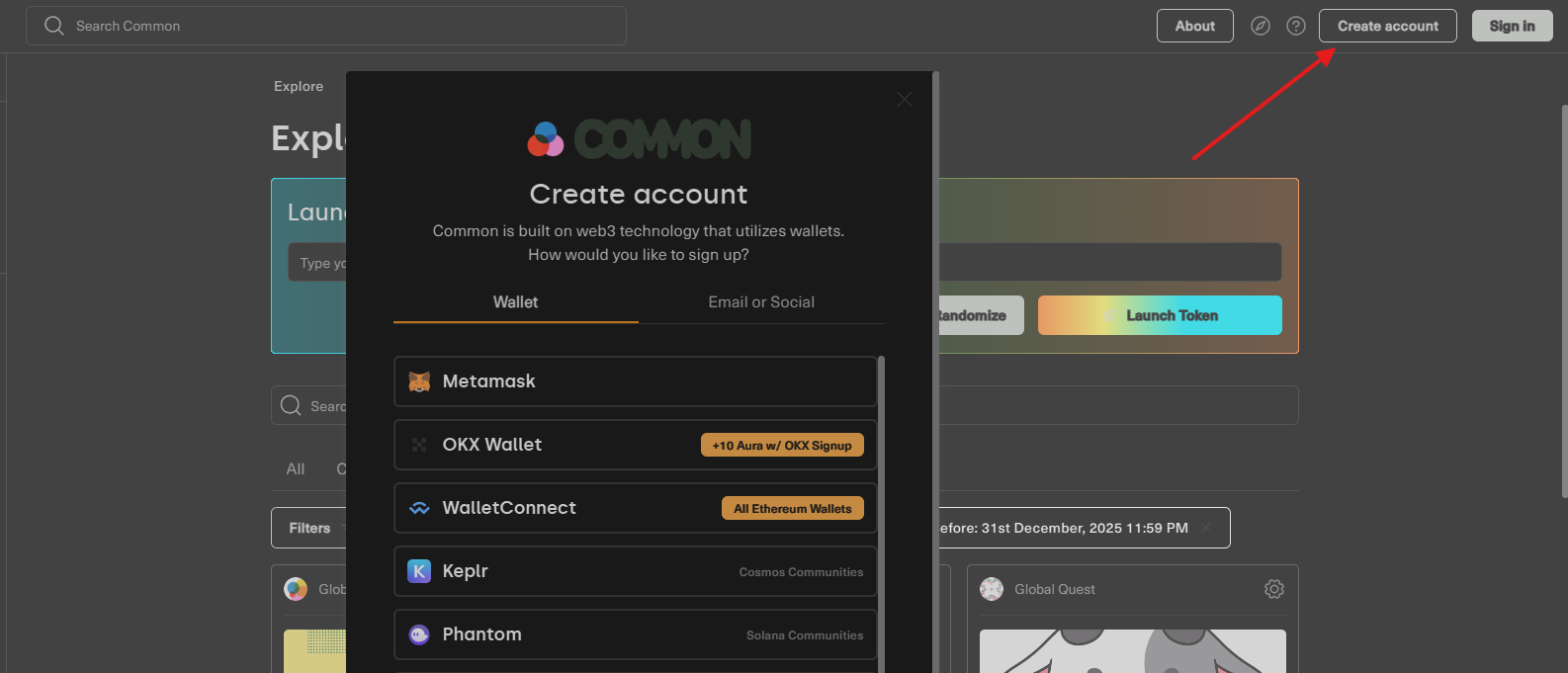
- Visit the website and create an account if you don’t already have one.
- Go to the Quests tab and complete the available tasks.
- Keep engaging with the project by following the instructions in our guides.
Interaction with Common
Task type:
SocialCommon is an all-in-one platform for crypto communities, allowing users to create, claim, and manage their own communities. By interacting with the platform, users can potentially qualify for an airdrop.
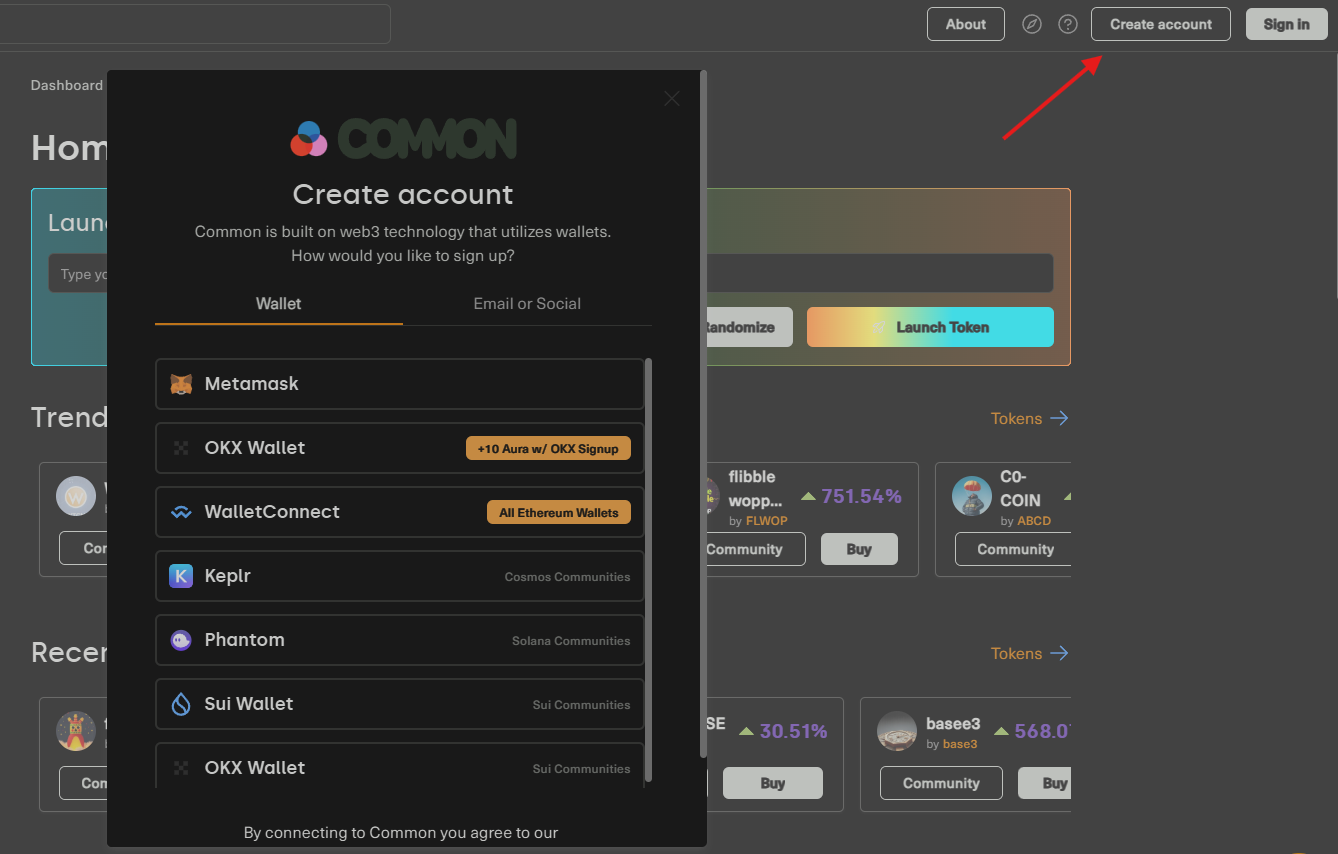
- Create an account using your wallet or social media account. Agree to the Terms of Service and click Next.
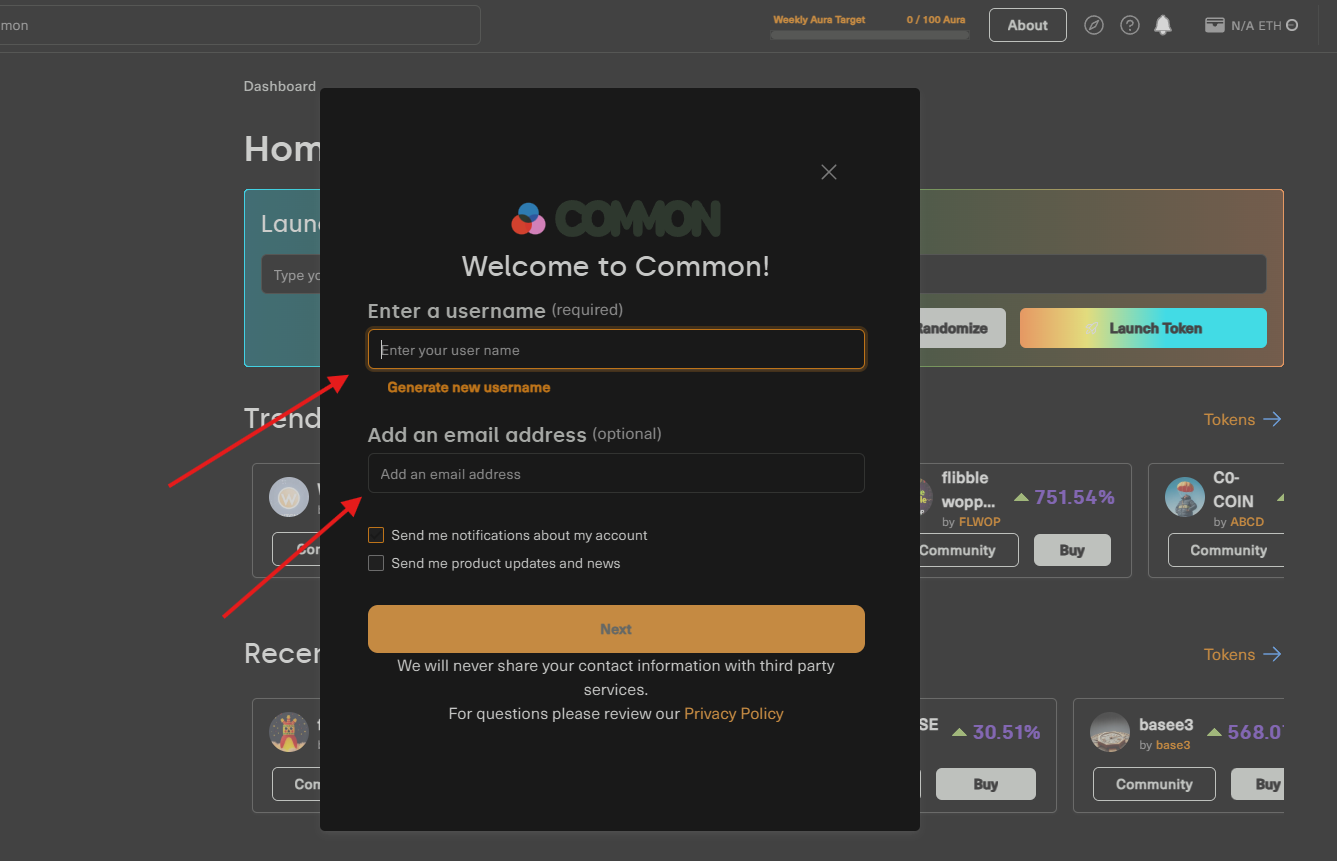
- Choose a nickname and, if you want, provide your email—don’t forget to confirm it. Click Next.
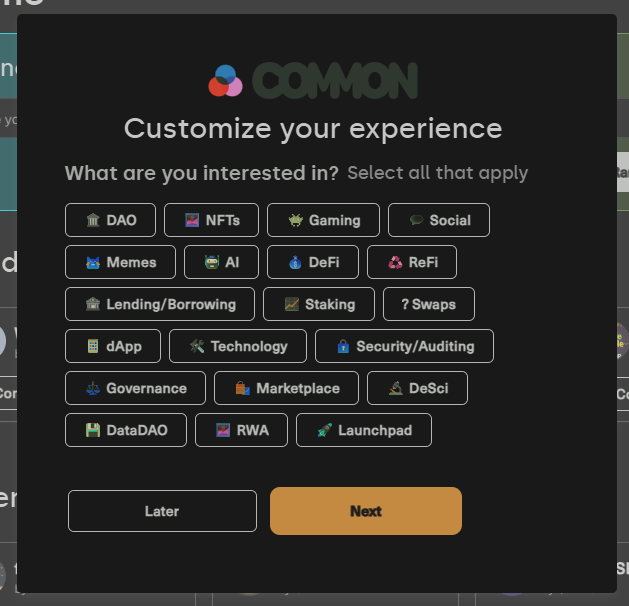
- Select your interests and click Next.
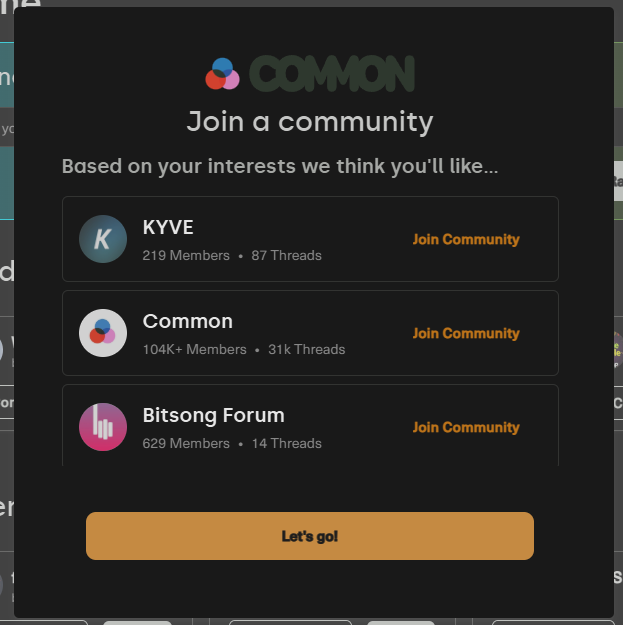
- Join a few recommended communities and click Let’s go!
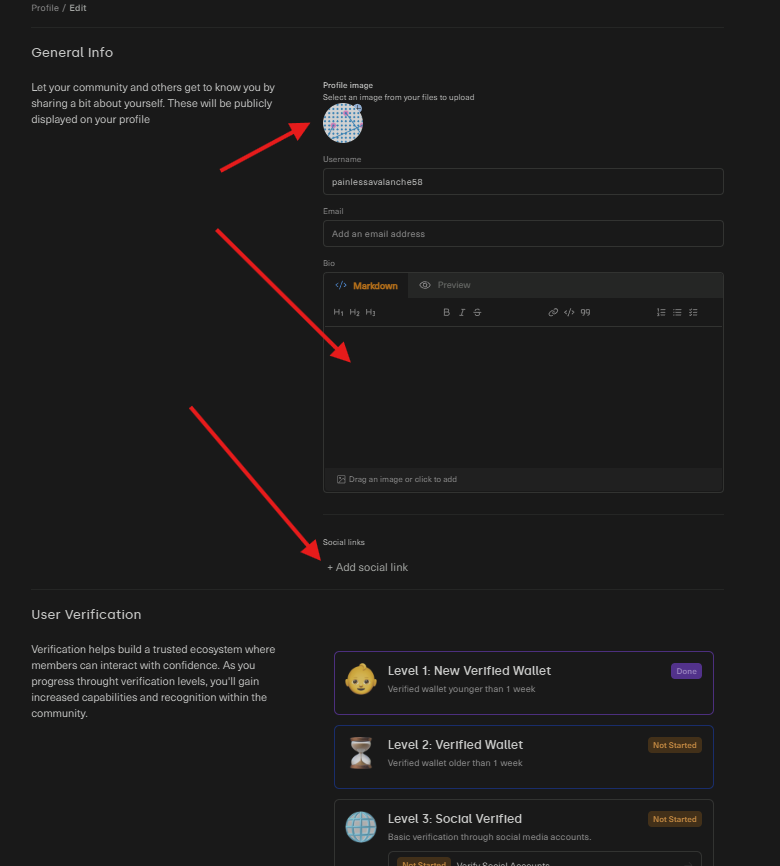
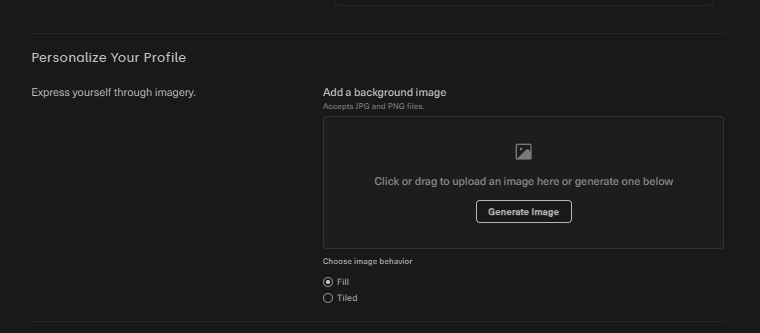
- Complete your profile by clicking your nickname in the top-right corner, then Edit Profile. Upload an avatar and background, write a short bio, and optionally link your social media accounts. Scroll to the bottom and click Save.
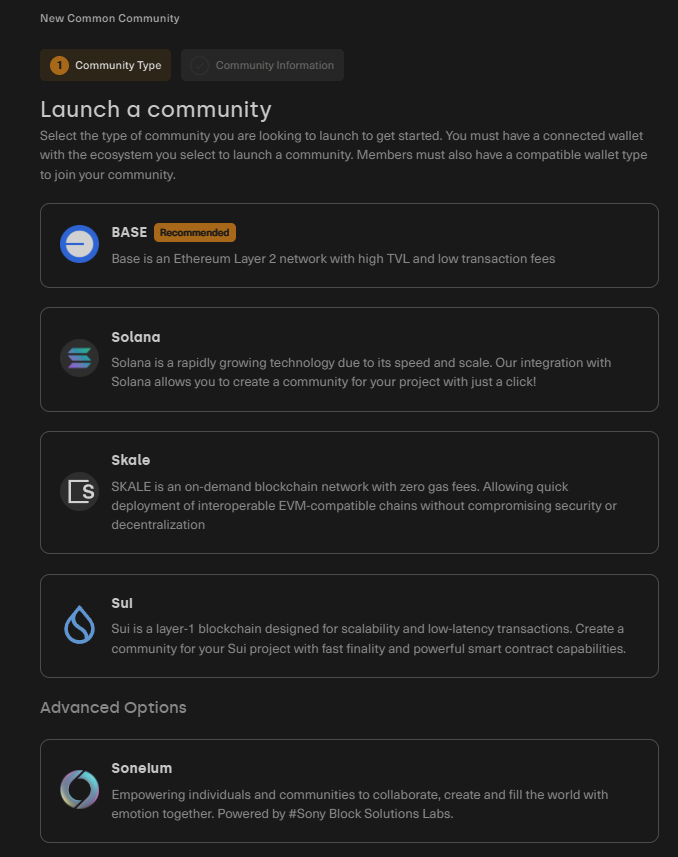
- To create a community, click “Create Community” on the main page, select a network from the options provided, and, if creating on Solana or Cosmos, connect a compatible wallet (the chosen blockchain cannot be changed later), then click Continue.
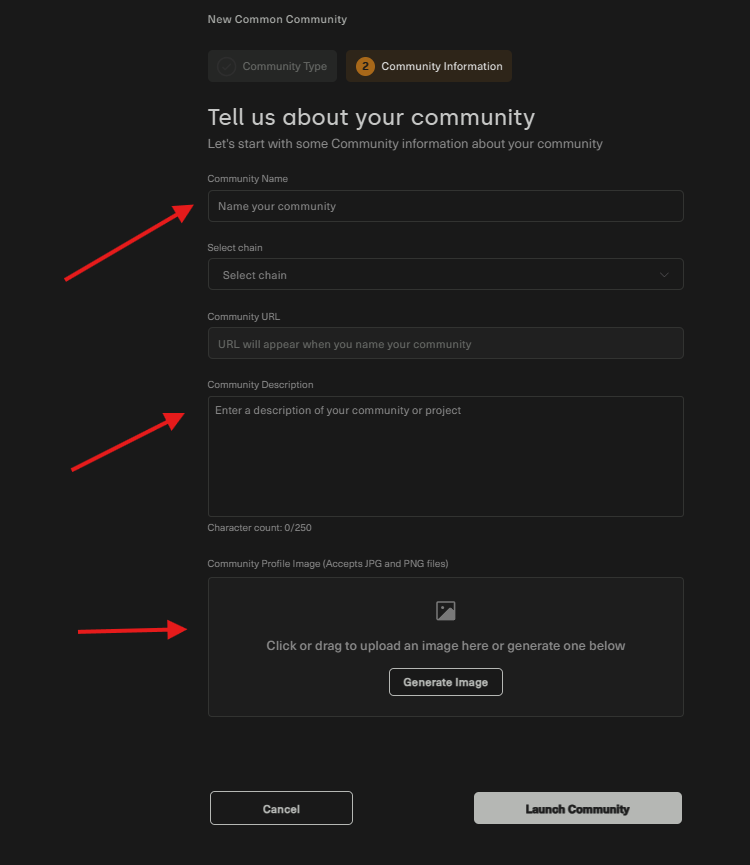
- Next, enter a name for your community, write a description, and upload a profile image. Click “Launch Community”, then choose a ticker and a name, or keep the default options.
- Activities in your community: Click on your community’s image on the left.
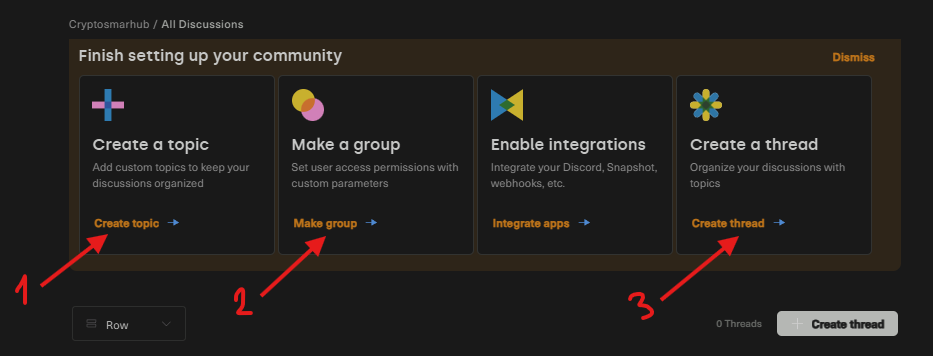
- Create a topic: Enter a title and description, then click Next and Yes.
- Create a thread: Enter a title, select a topic to display it in, write a description, and click Create Thread.
- Create a group: Enter a title and description, upload an image, and optionally set conditions for who can access the threads and topics.
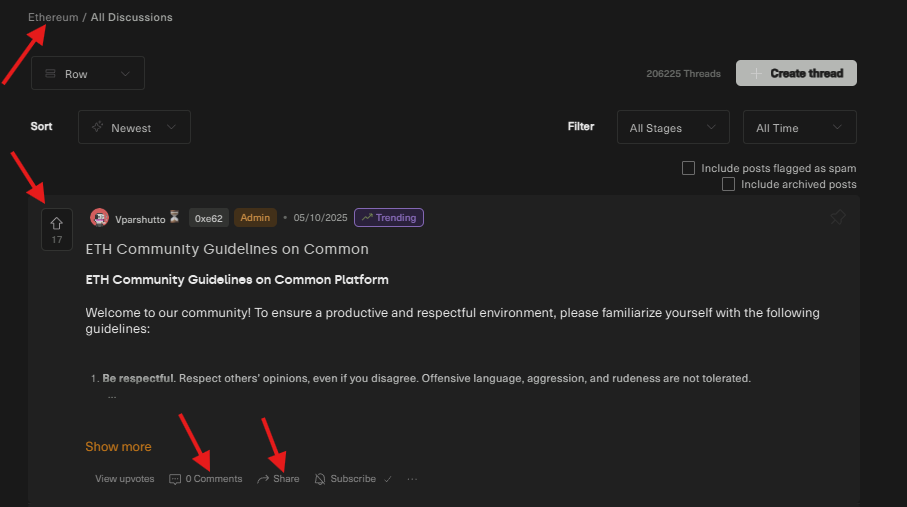
- Activities in other communities: Visit any of the communities you previously selected, or search for a topic like “ethereum”. You can upvote, comment, create your own thread, and optionally share on Twitter/X.